
 Facebook
  Twitter
  LinkedIn
 Timesheet Exemptions Guide
Overview
The Timesheet Exemptions feature allows administrators to configure site-level exemptions that prevent specific arbitration deductions from being applied to workers' timesheets.
Exemptions can be configured for:
Time Pricing Deductions
Book-On/Off Deductions
Once a site exemption is created and saved, the selected exemption rules will automatically apply to workers who have previously worked at that site.
Accessing Timesheet Exemptions
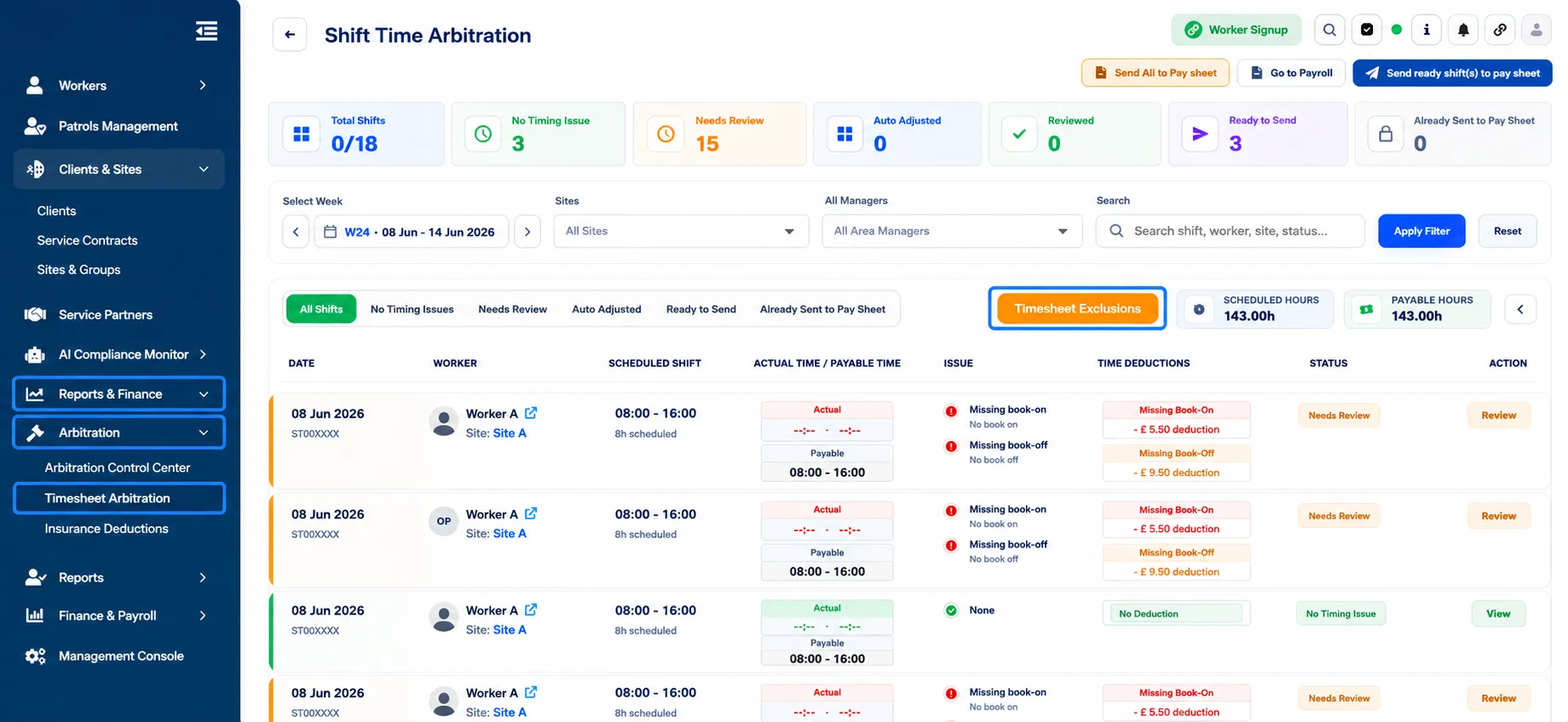
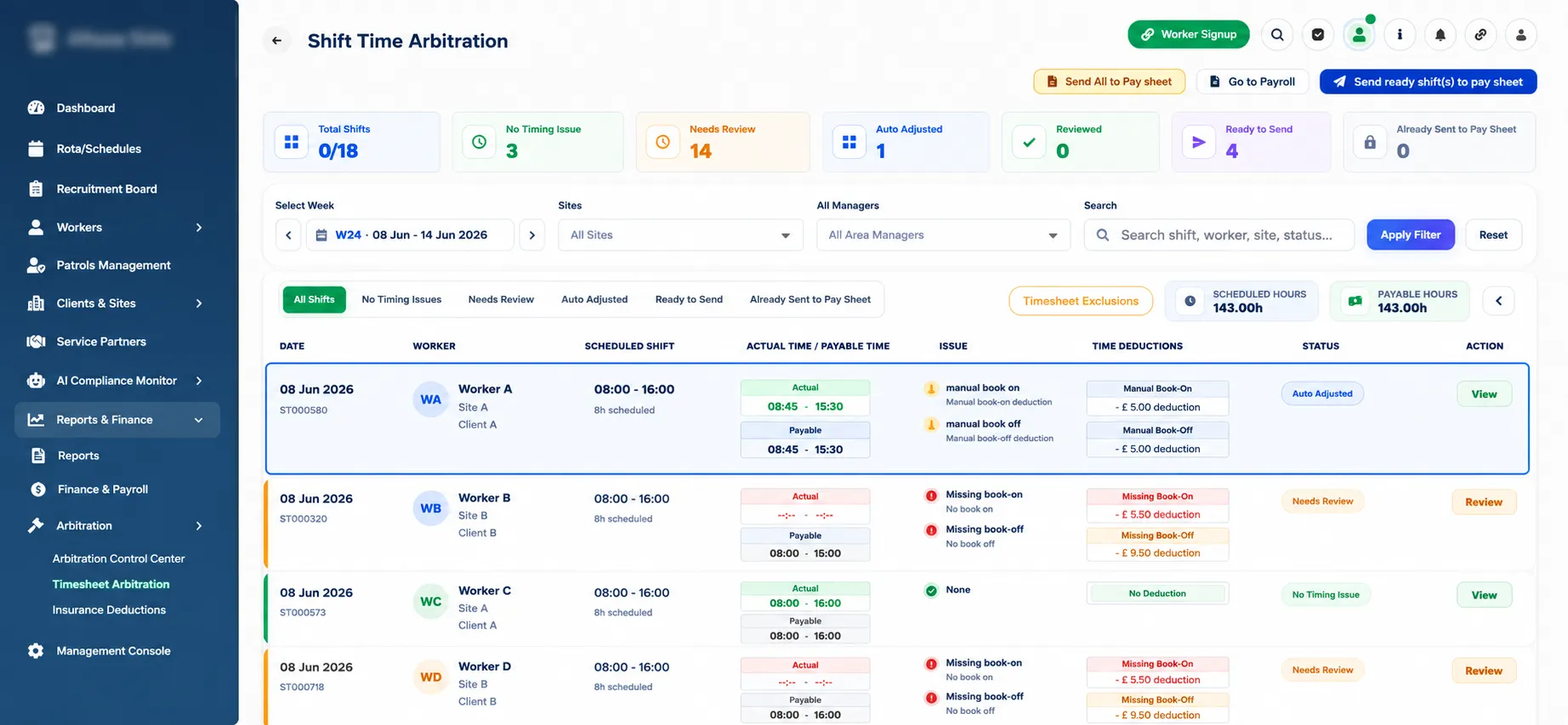
Navigate to Reports & Finance from the left-hand menu.
Select Arbitration.
Click Timesheet Arbitration.
Select Timesheet Exclusions.
The Manage Exemptions window will open, allowing you to manage site and worker exemptions.
Creating a Site Exemption
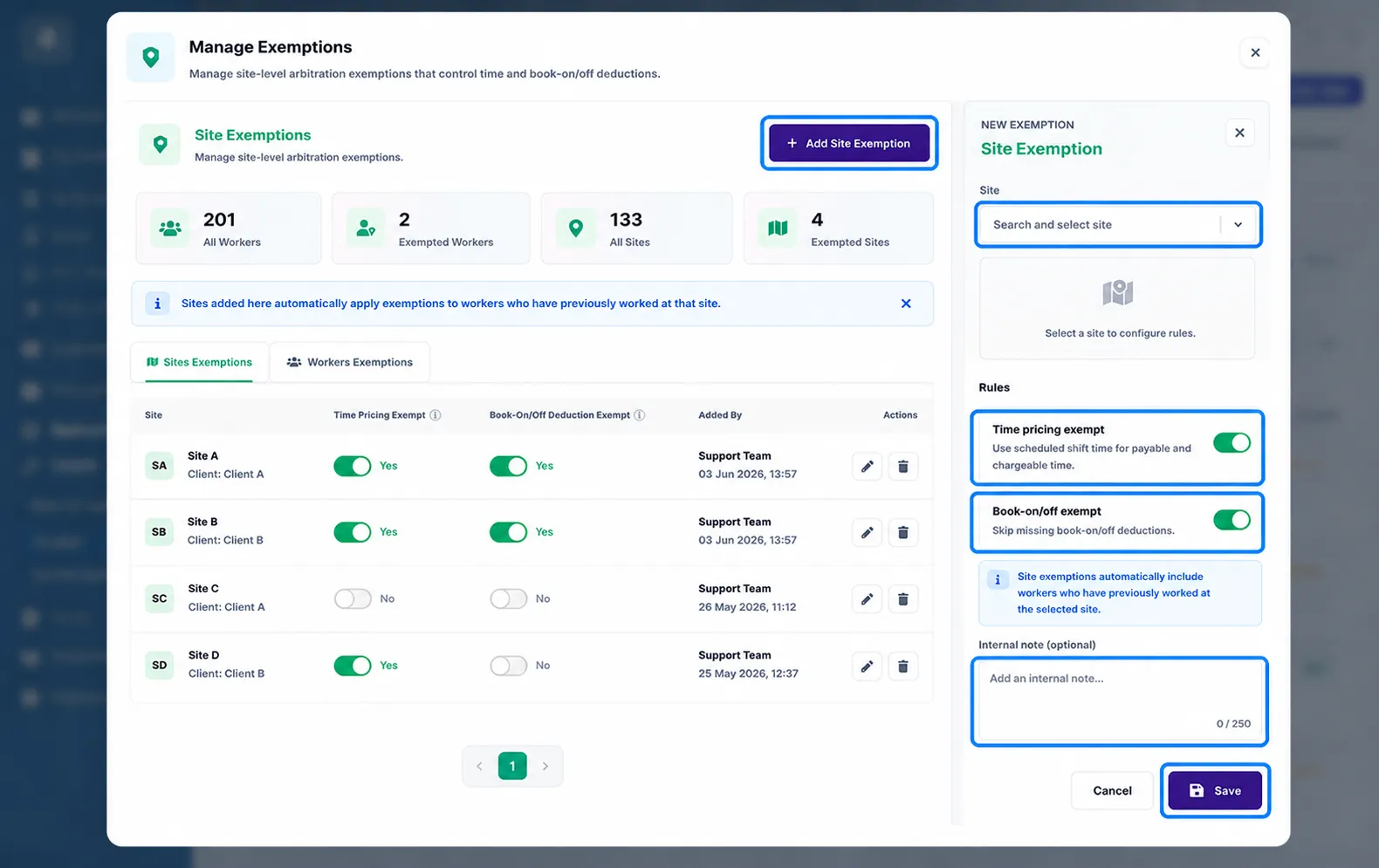
Click + Add Site Exemption.
In the Site field, search for and select the required site.
Configure the exemption rules using the available toggles.
Add an optional internal note if required.
Click Save.
The exemption will now be applied to the selected site.
Exemption Rules
Time Pricing Exempt
Purpose: Controls whether deductions are applied when an officer arrives late.
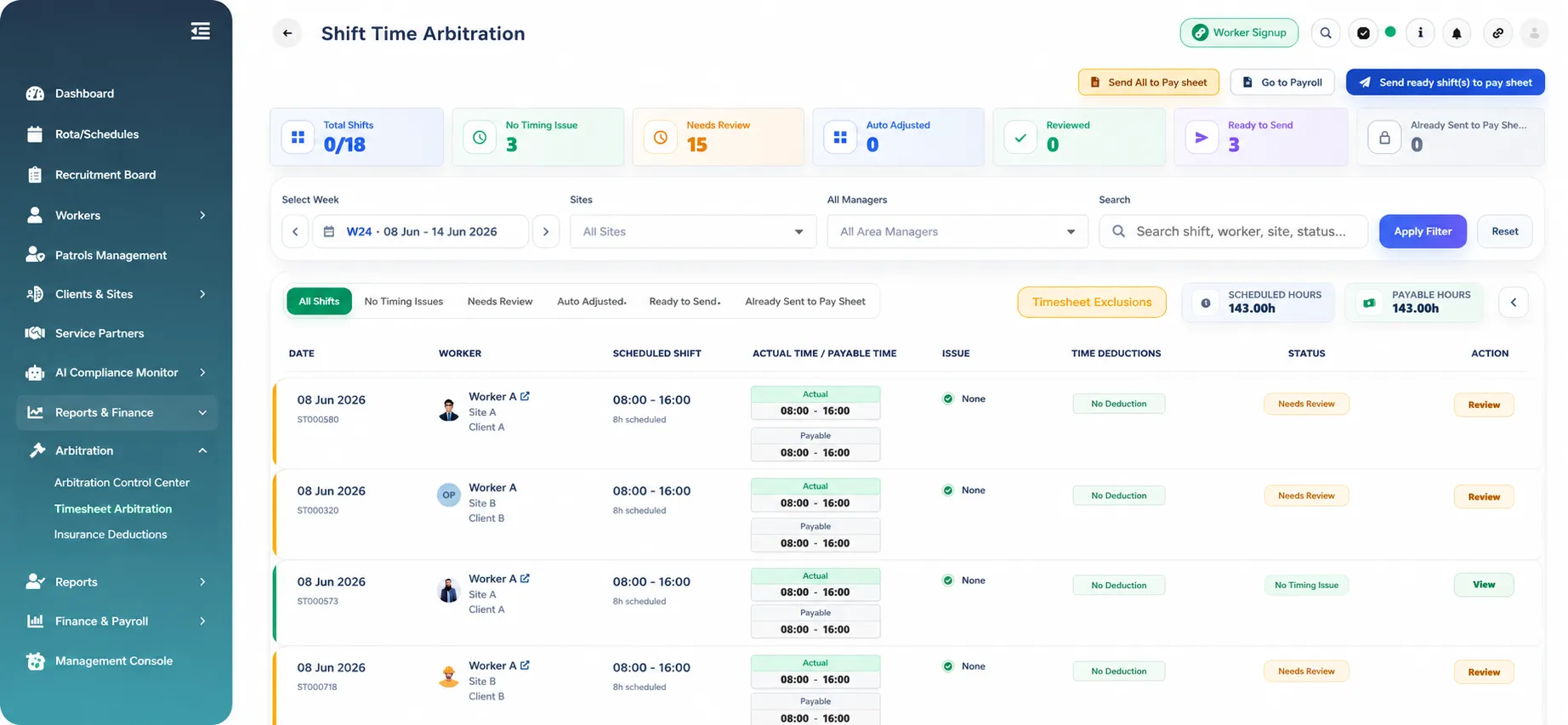
Toggle ON
No time pricing deductions will be applied.
The scheduled shift time will be used for payable and chargeable time calculations.
Officers will not receive deductions for late arrivals.
Toggle OFF
Standard arbitration rules apply.
Deductions will be applied when an officer is late according to the configured time pricing rules.
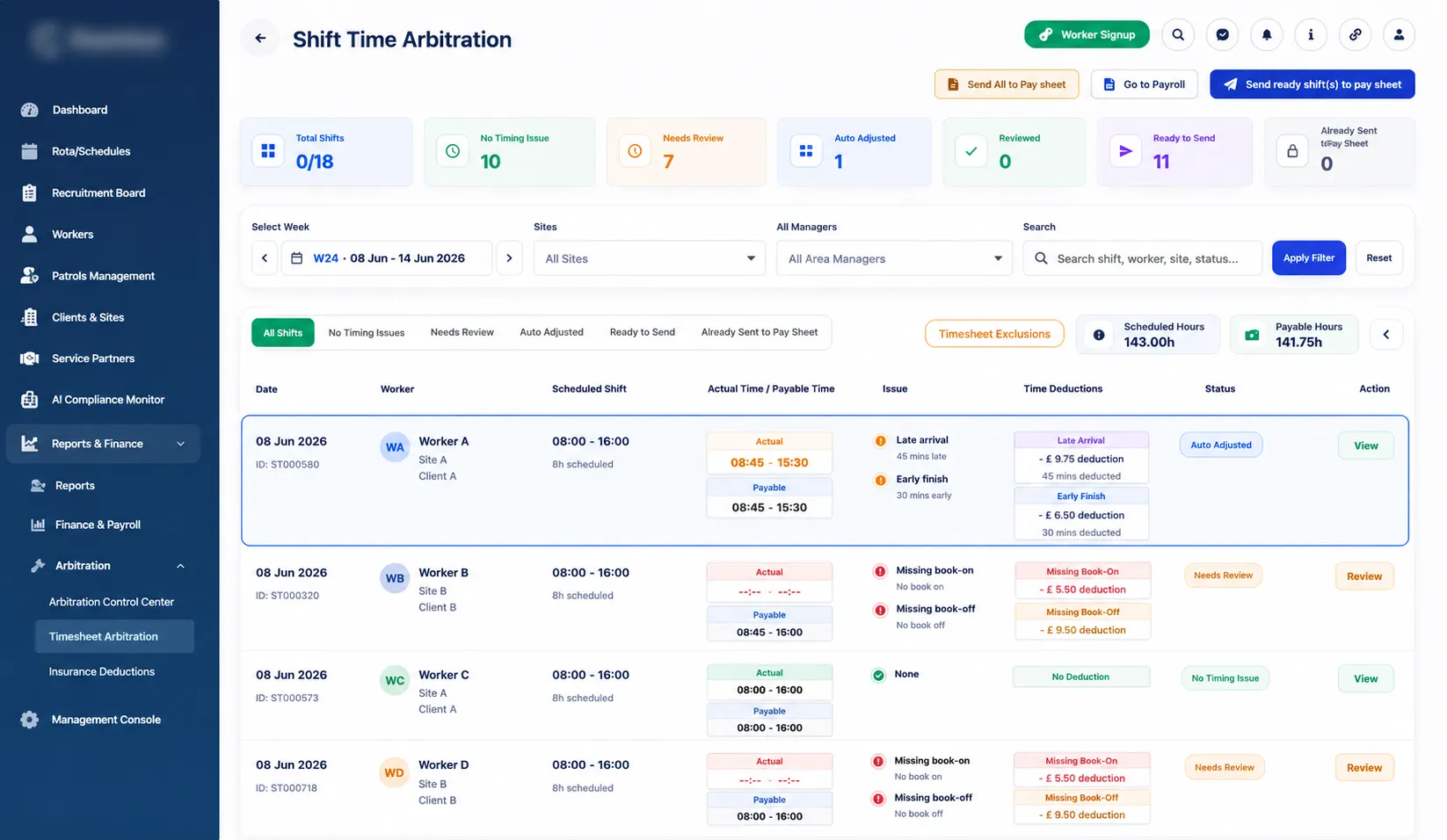
Example:
Scheduled Shift: 08:00 – 16:00
Officer arrives at 08:15
Time Pricing Exempt ON: No deduction applied.
Time Pricing Exempt OFF: Late arrival deduction is applied.
Book-On/Off Deduction Exempt
Purpose: Controls whether deductions are applied when workers fail to book on or book off.
Toggle ON
Missing Book-On deductions will not be applied.
Missing Book-Off deductions will not be applied.
Workers will not be penalized for missing book-on or book-off actions.
Toggle OFF
Standard arbitration rules apply.
Missing Book-On and Book-Off deductions will be applied where applicable.
Example:
Book-On/Off Deduction Exempt ON
Worker forgets to book on.
No deduction is applied.
Book-On/Off Deduction Exempt OFF
Worker forgets to book on.
Deduction is applied according to arbitration settings.
Automatic Application of Site Exemptions
When a site exemption is created:
The exemption automatically applies to workers who have previously worked at the selected site.
Future timesheet arbitration calculations will respect the exemption settings configured for that site.
Editing an Exemption
Open Timesheet Exclusions.
Locate the site in the Site Exemptions list.
Click the Edit (Pencil) icon.
Update the exemption settings.
Click Save.
Deleting an Exemption
Open Timesheet Exclusions.
Locate the exemption you wish to remove.
Click the Delete (Trash Bin) icon.
Confirm the deletion.
Once removed, normal arbitration deduction rules will apply again.
Summary
Setting | Toggle ON | Toggle OFF |
Time Pricing Exempt | No deductions for late arrivals. Scheduled shift time used for payable and chargeable calculations. | Late arrival deductions are applied. |
Book-On/Off Deduction Exempt | No deductions for missing book-on or book-off actions. | Missing book-on/off deductions are applied. |
Important: If both toggles are enabled and the exemption is saved, no time pricing deductions or book-on/off deductions will be applied for workers associated with the selected site.