
 Facebook
  Twitter
  LinkedIn
 Manual Book On / Book Off – User Guide
The Manual Book On / Book Off feature allows authorised users to manually record worker attendance on a shift when the worker is unable to book on or off themselves due to technical issues or unforeseen circumstances.
Who Can Access This Feature
The following user roles can manually book workers on and off shifts:
Admin
Area Manager
Service Partner
When to Use Manual Book On / Off
This feature should only be used when:
A worker is unable to book on using the mobile app
A worker forgets to book off
There are technical issues preventing attendance recording
An urgent correction is required for payroll or reporting purposes
How to Find Shifts Missing Book On / Off
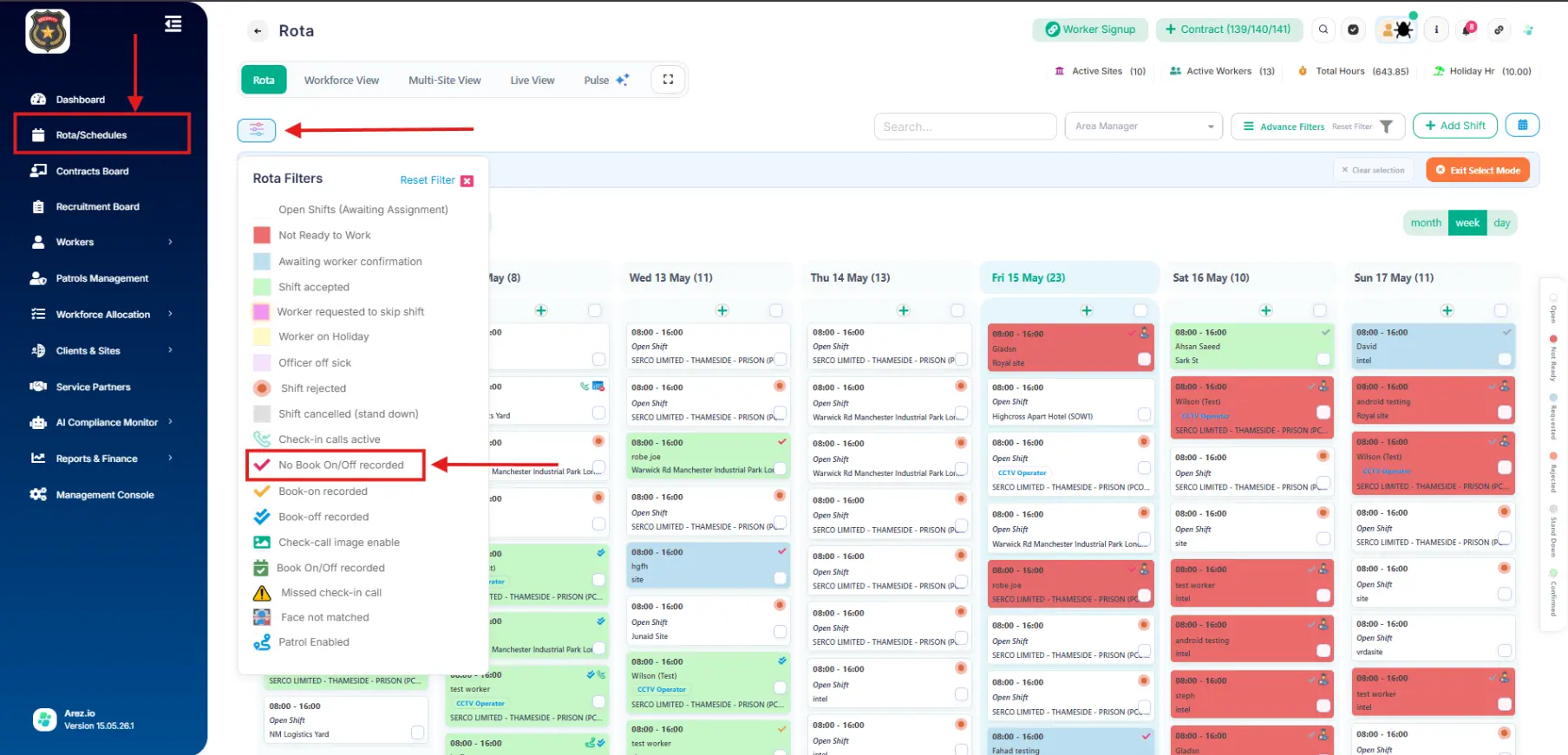
Open Rota / Schedule
Click the Filter icon in the top-left corner
Locate the filter called: “No Book On/Off Recorded”
Apply the filter
The system will display shifts where either:
No book on has been recorded
No book off has been recorded
How to Manually Book On a Worker
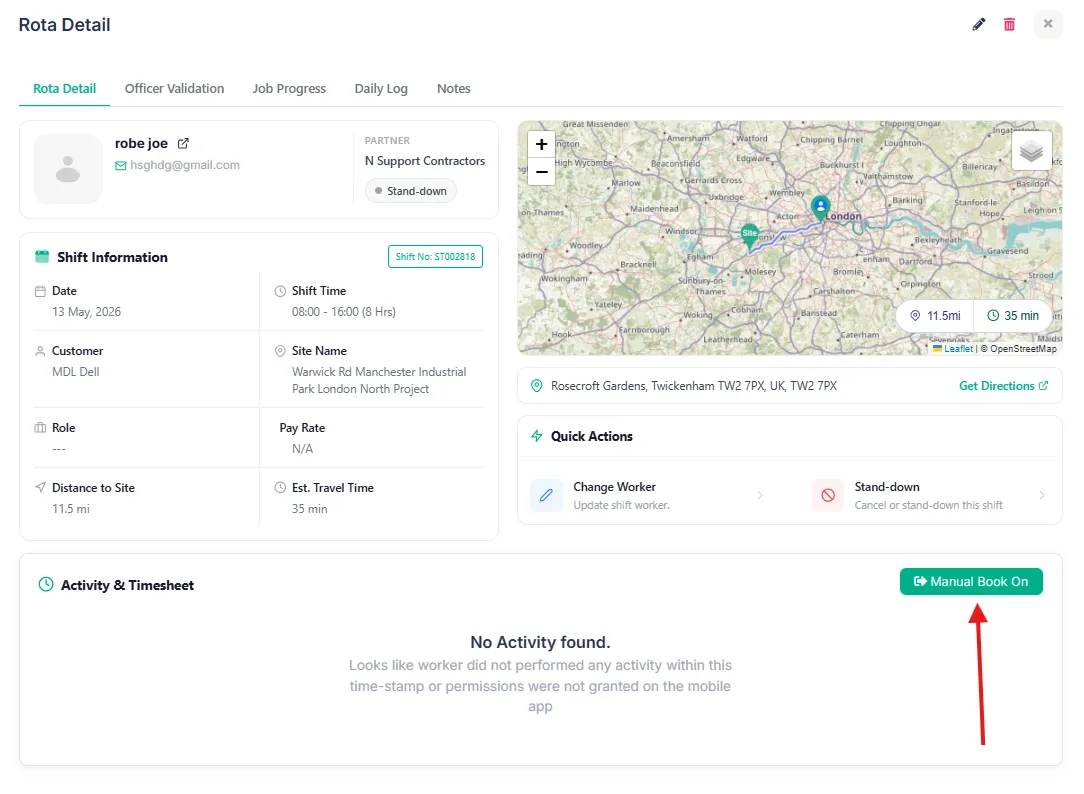
Open the required shift from the schedule.
Click the Manual Book On button.
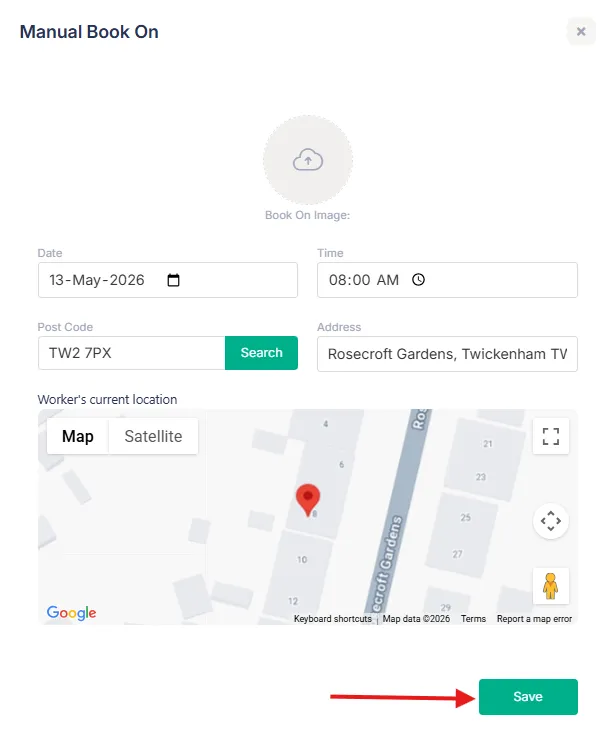
The Manual Book On option will become available once the shift start time has begun.A pop-up window will appear.
The following information will automatically populate:
Site Address
Site Postcode
You can manually update these details if required.
Click Save.
How to Manually Book Off a Worker
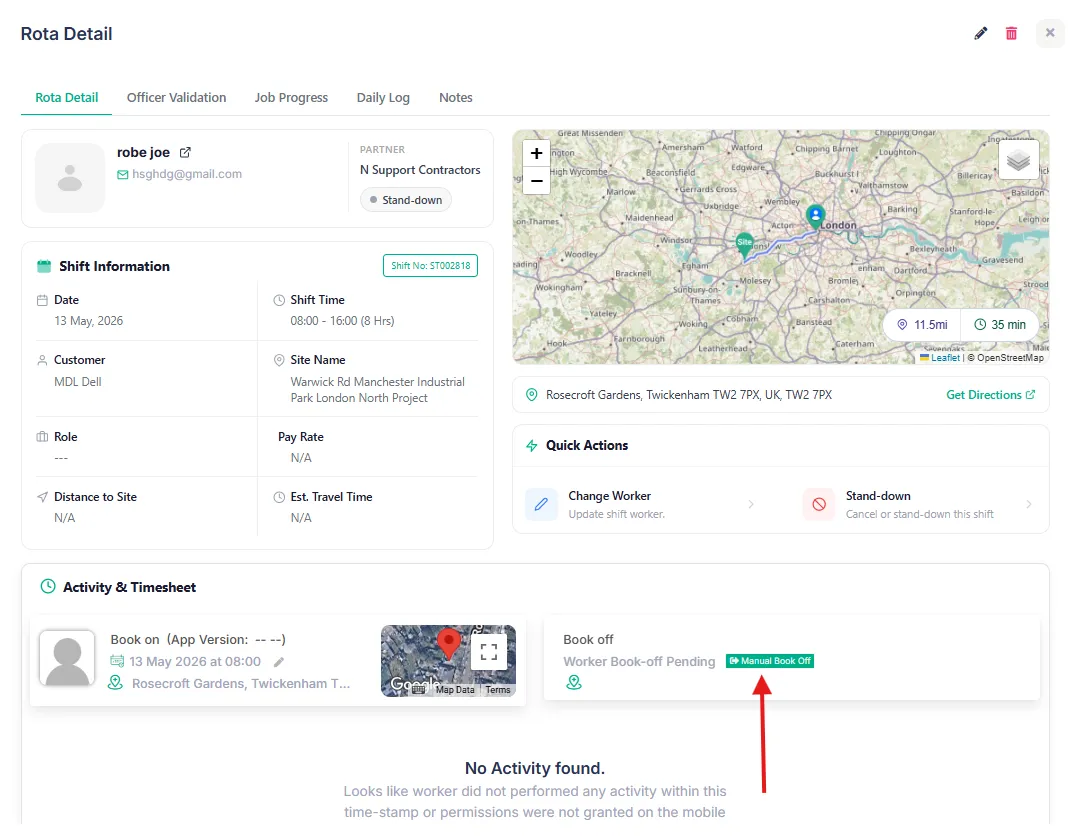
Open the required shift from the schedule
Click the Manual Book Off button next to the book on details
A pop-up window will appear.
The following information will automatically populate:
Site Address
Site Postcode
*You can manually update these details if required.
Click Save
Best Practices
Only use manual booking when absolutely necessary
Double-check attendance times before saving
Ensure postcode and address information is accurate
Regularly review shifts with missing attendance records
Use filters to quickly identify incomplete shifts