
 Facebook
  Twitter
  LinkedIn
 How to Generate a Combined Invoice Report in Arez
Overview
The Combined PDF feature allows you to merge multiple invoice reports into a single PDF document. You can choose which reports to include, making it easy to share a complete invoice package with your clients.
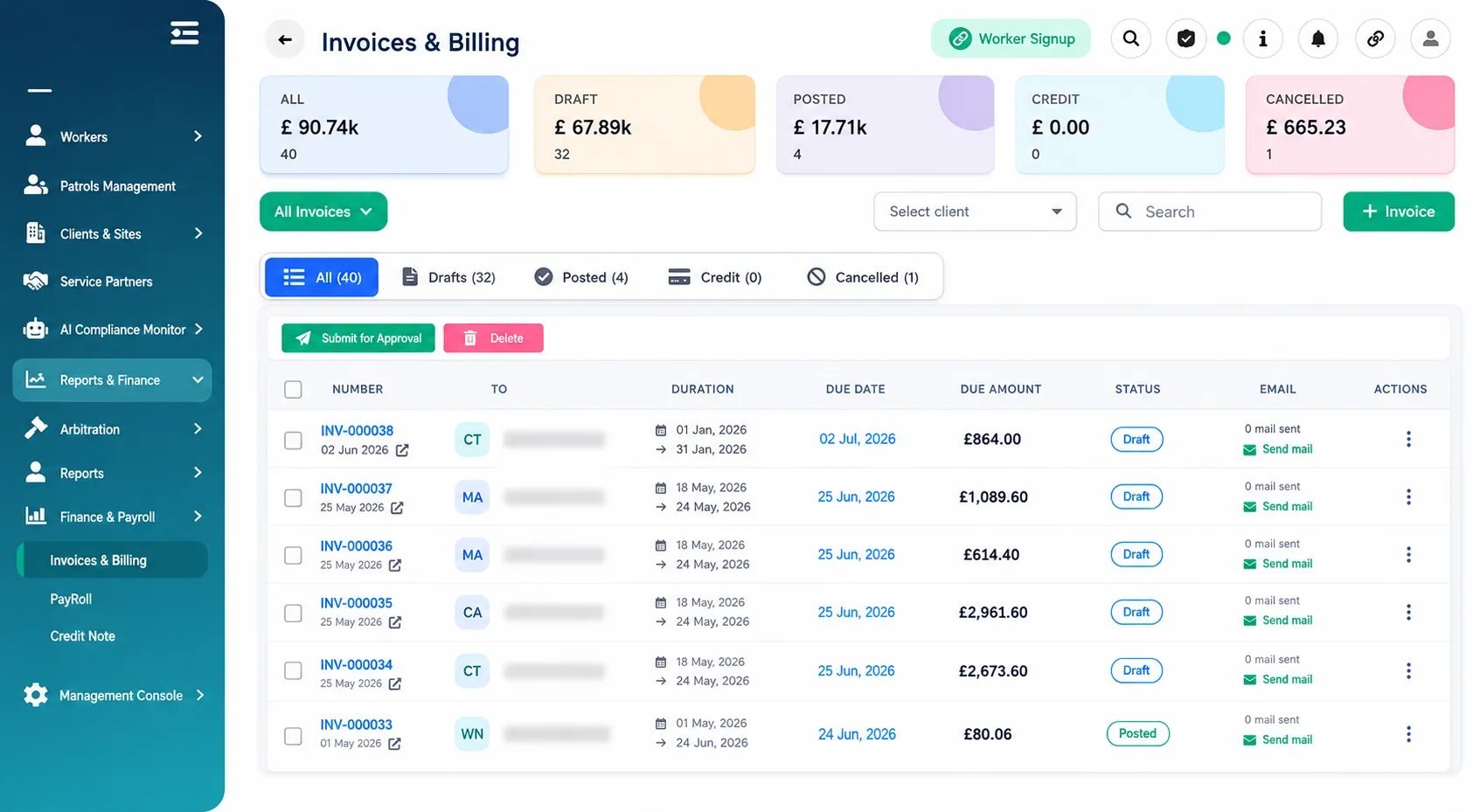
Step 1: Navigate to Invoices & Billing
From the left-hand menu:
Reports & Finance → Finance & Payroll → Invoices & Billing
You will see a list of all created invoices.
Step 2: Open an Existing Invoice
Locate the invoice you wish to export.
Click on the invoice to open it.
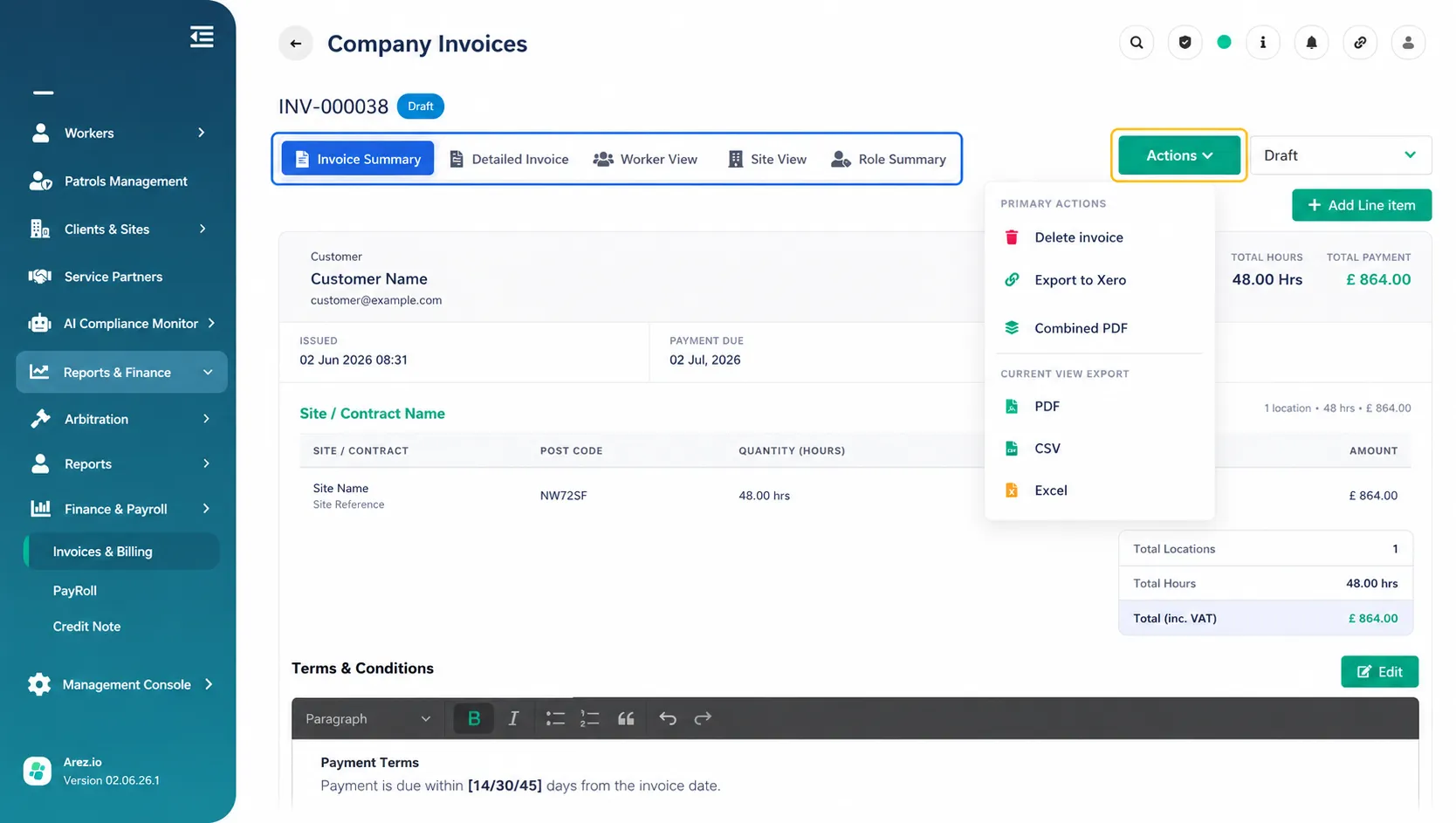
Once opened, you will see the invoice details along with the available invoice views:
Invoice Summary
Detailed Invoice
Worker View
Site View
Role Summary
Step 3: Open the Actions Menu
In the top-right corner, click the Actions button.
Select Combined PDF from the dropdown menu.
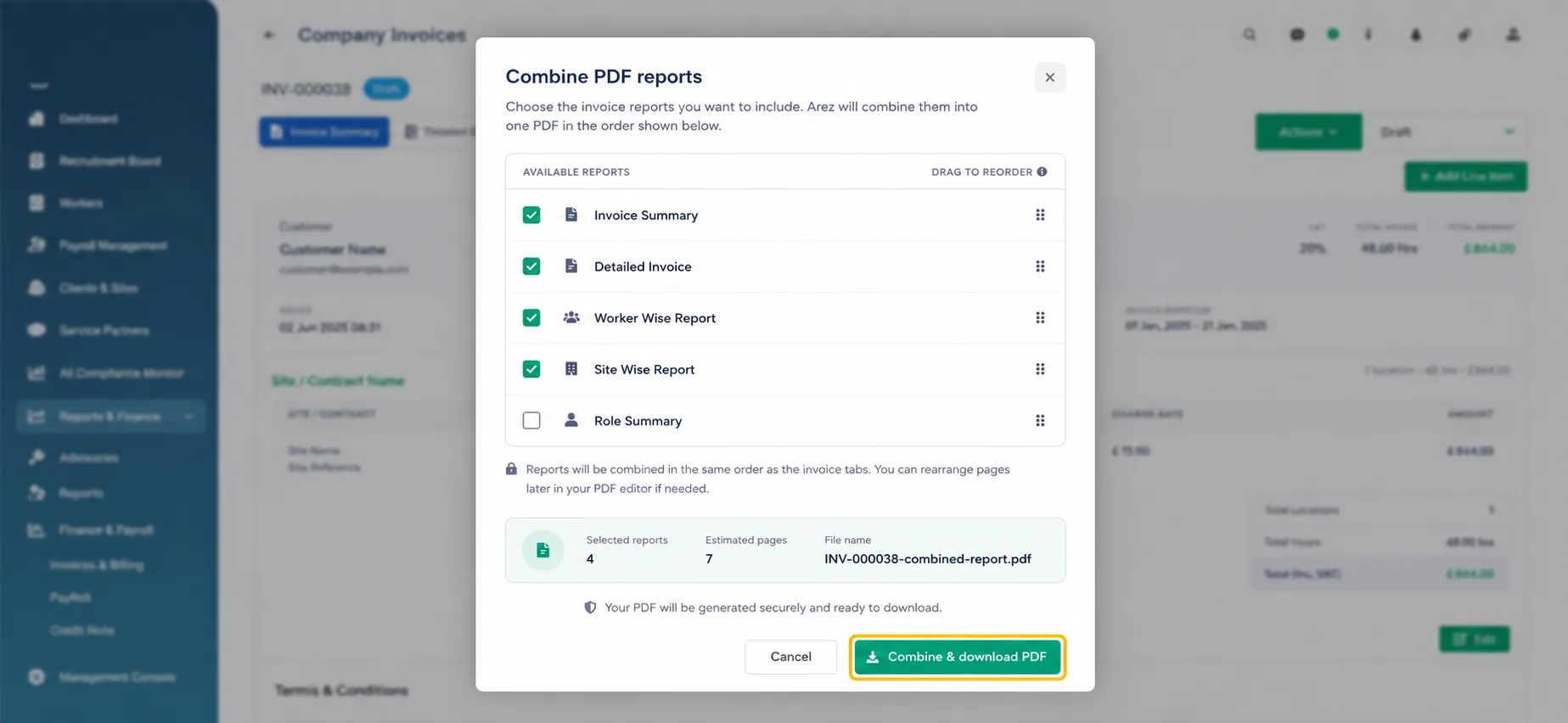
A Combine PDF Reports window will appear.
Step 4: Select Reports to Include
The Available Reports list will display:
✔ Invoice Summary
✔ Detailed Invoice
✔ Worker Wise Report
✔ Site Wise Report
✔ Role Summary
You can:
Select all reports to create a complete invoice pack.
Select only specific reports if required.
Combine one, two, or multiple reports into a single PDF document.
The selected reports will be merged in the order shown.
Step 5: Generate the Combined PDF
Review your selected reports.
Click Combine & Download PDF.
Arez will generate and download a single PDF containing all selected reports.
Included Report Types
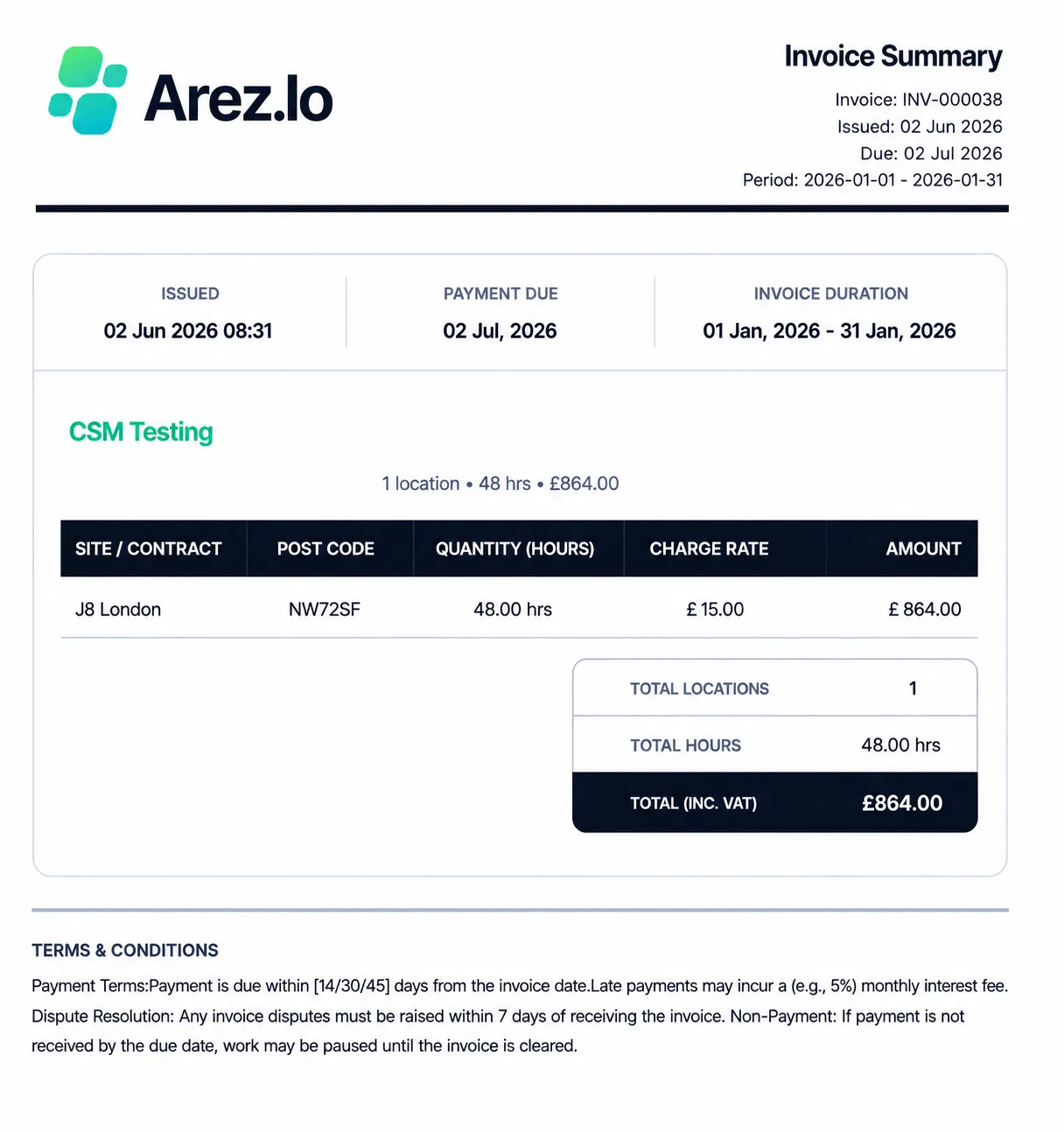
Invoice Summary
Provides a high-level overview of the invoice, including:
Client details
Invoice period
Site/Contract information
Hours billed
Charge rates
Total invoice value
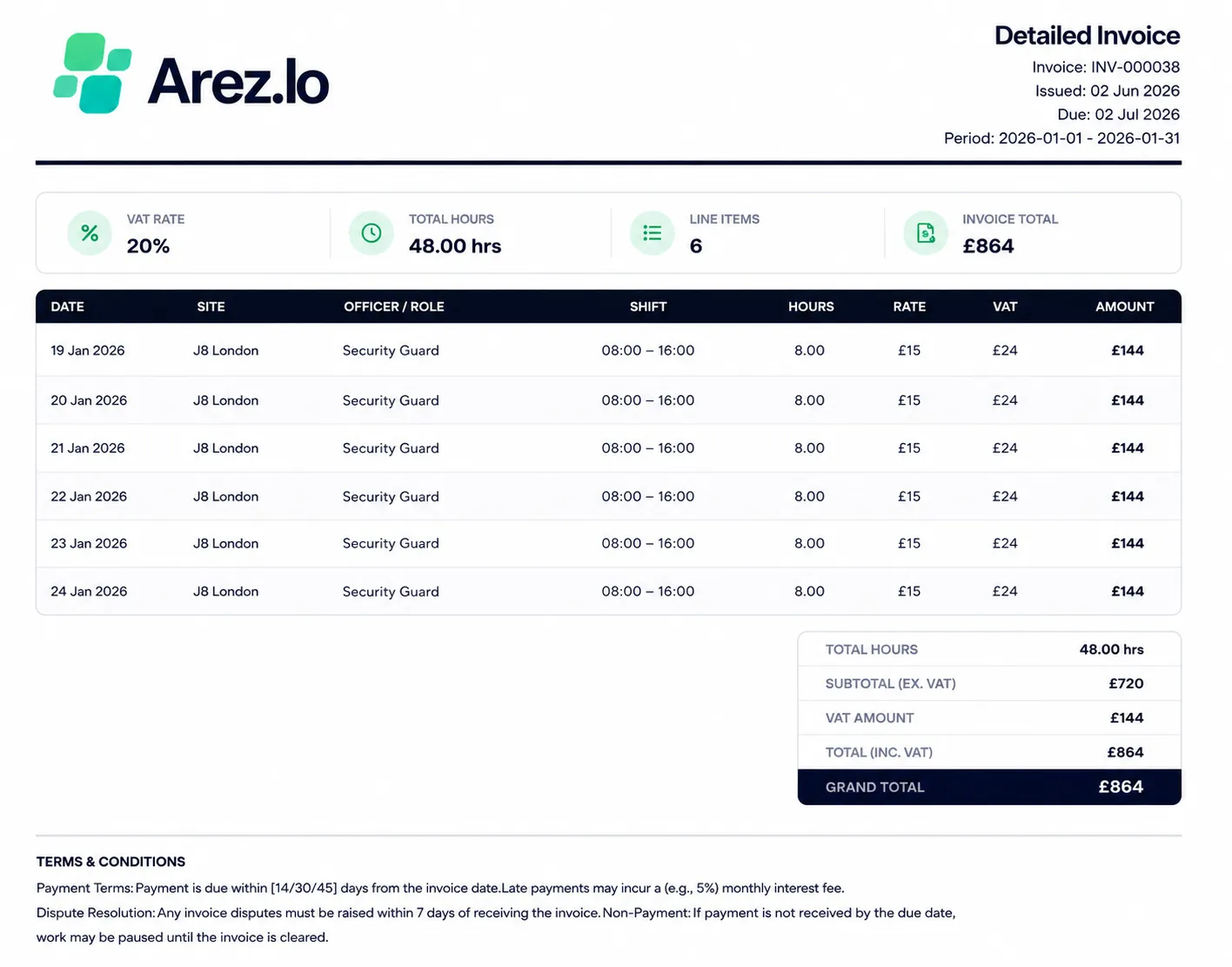
 Detailed Invoice
Displays a line-by-line breakdown including:
Dates worked
Site
Worker/Role
Shift times
Hours worked
Rates
VAT
Amounts charged
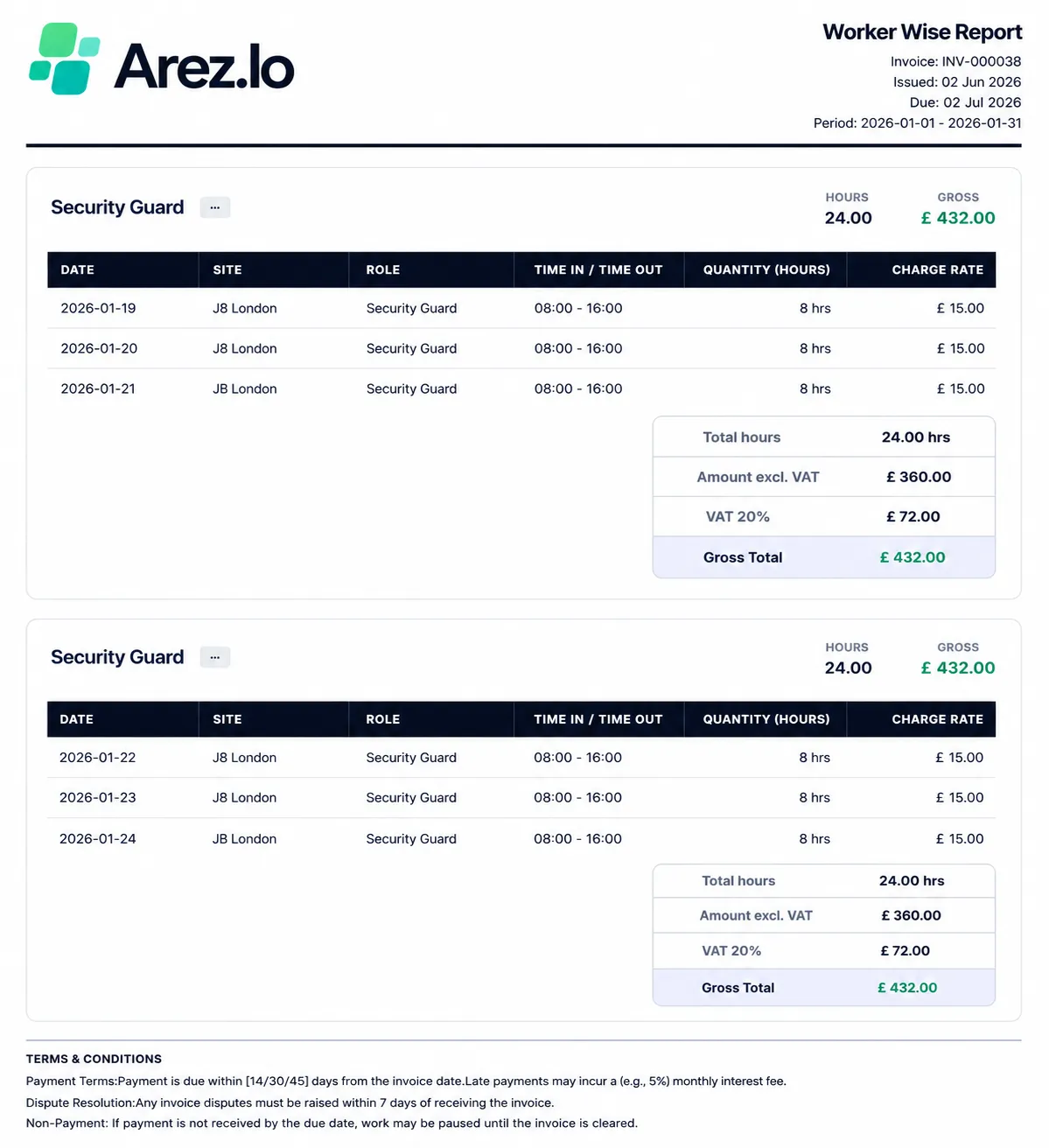
Worker Wise Report
Groups invoice data by worker and includes:
Worker name
Role
Shift details
Hours worked
Gross totals
VAT calculations
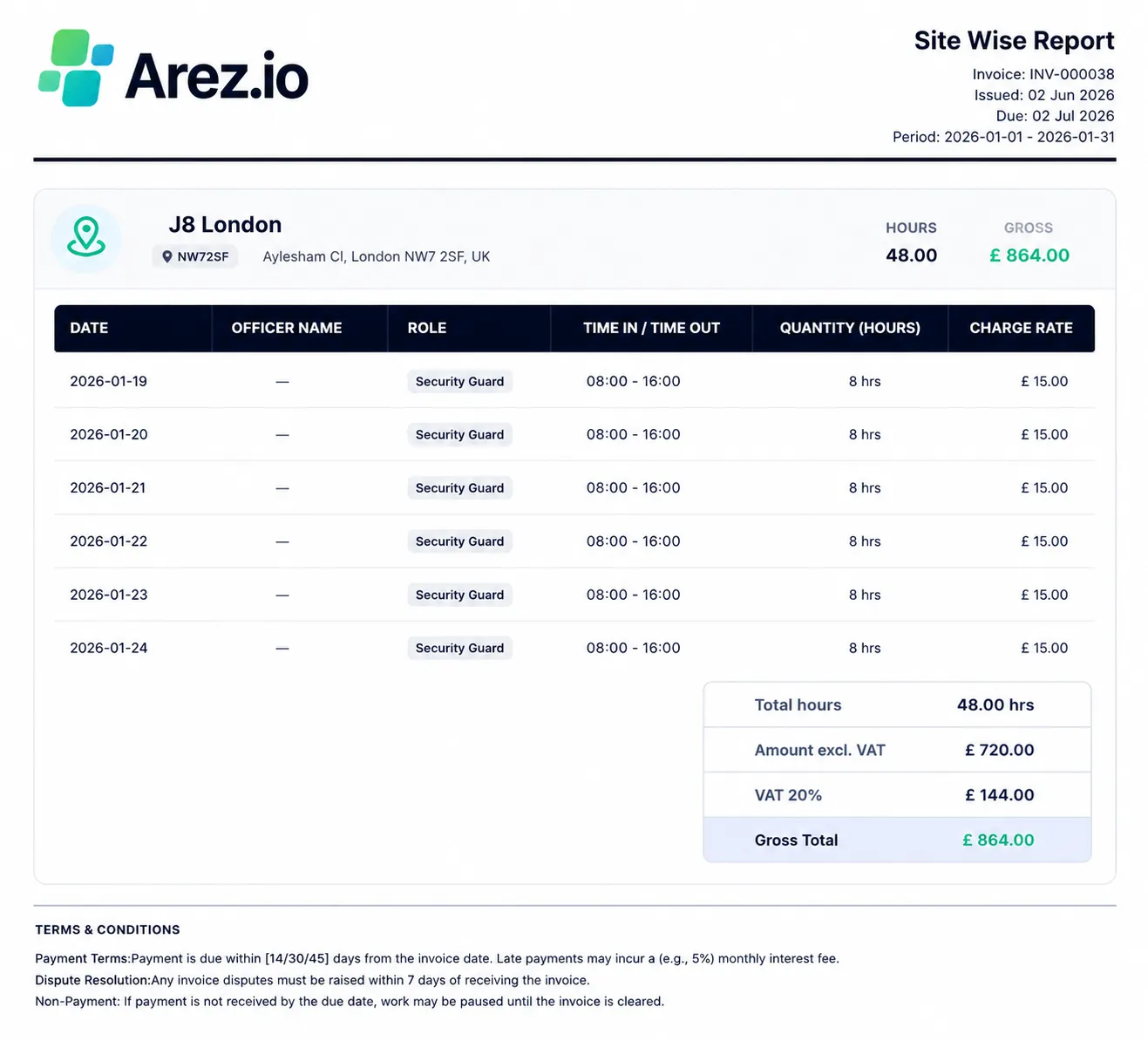
 Site Wise Report
Groups invoice data by site and includes:
Site information
Officers assigned
Hours worked
Charge rates
Site totals
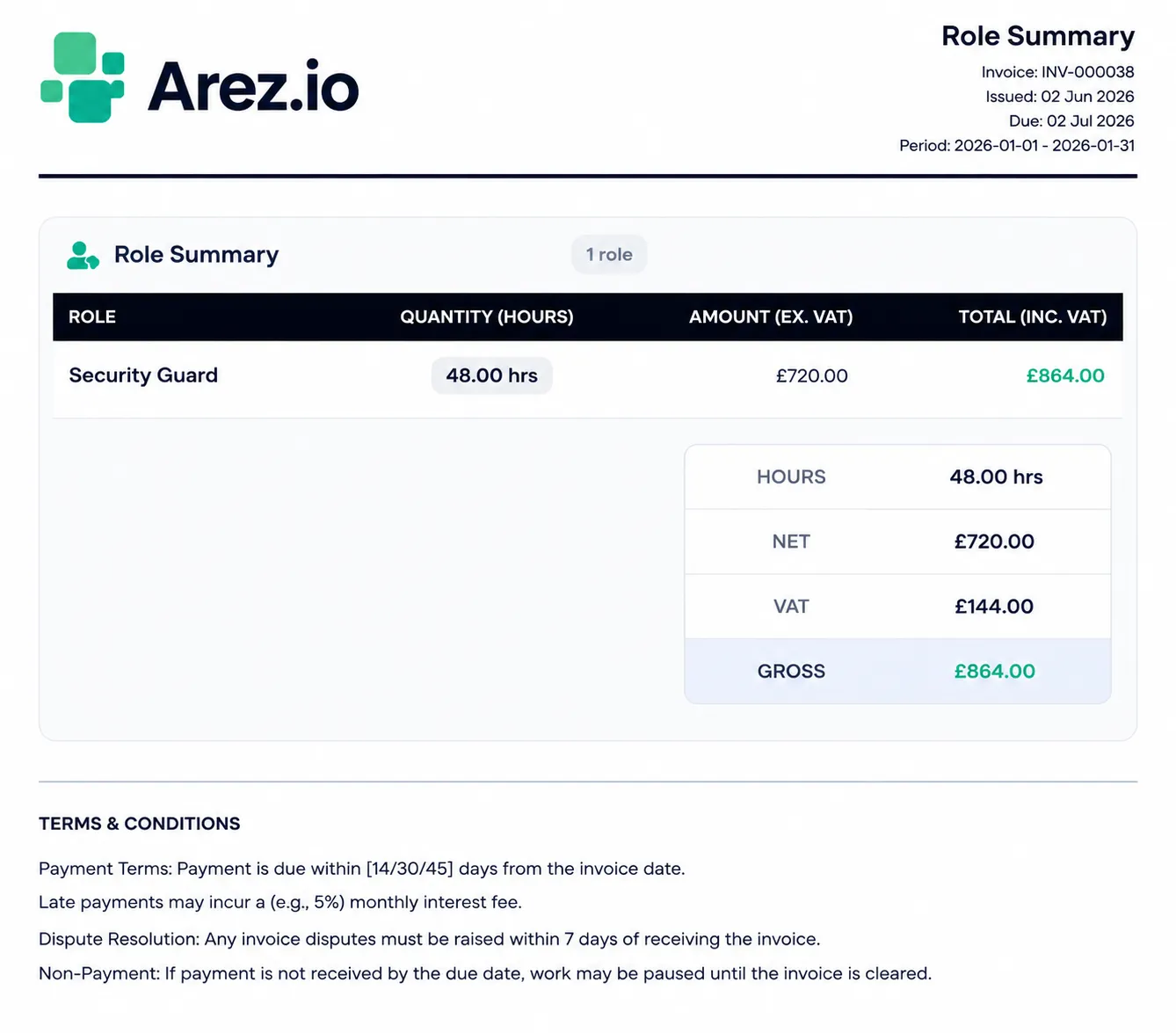
 Role Summary
Provides a summary by role, including:
Role names
Total hours
Net amount
VAT amount
Gross amount
 Result
After downloading, the Combined PDF can contain any combination of:
Invoice Summary
Detailed Invoice
Worker Wise Report
Site Wise Report
Role Summary
This provides a complete invoice pack that can be shared with clients or retained for audit and reporting purposes.