
 Facebook
  Twitter
  LinkedIn
 This feature makes data exports safer and easier to manage. It keeps a record of exports, verifies users before allowing access, and helps prevent unauthorised data exports. Once verified, users can continue exporting for a set period without needing to verify each time.
How does it work?
By default, the Export option will be locked.
When you need to export data:
Go to Management Console > Export Governance.
Request a verification code.
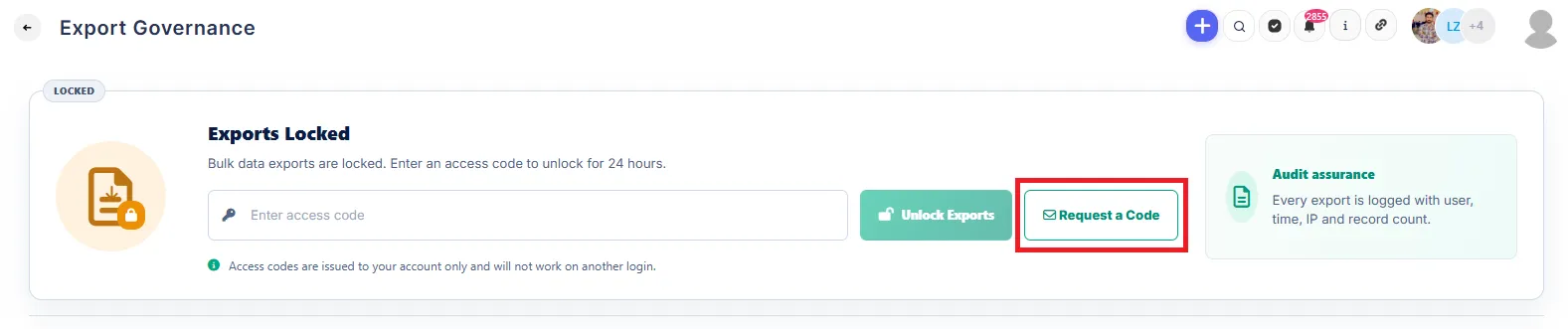
The code will be sent to your registered email address.
Enter the code in Export Governance to unlock exporting.
Once verified, you can export data across the system for 24 hours without verifying again.
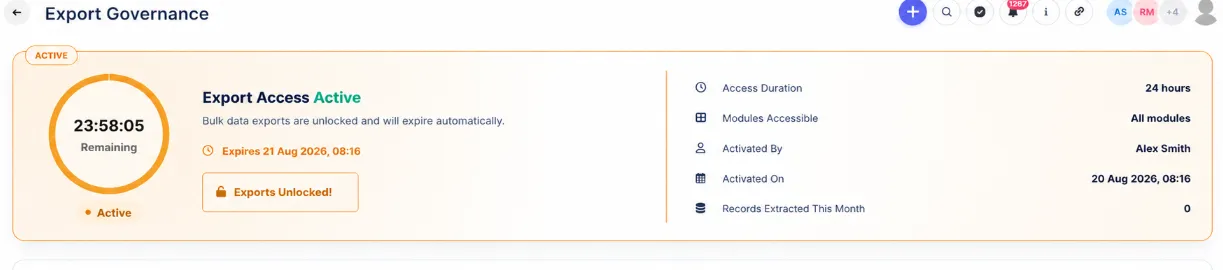
After 24 hours, the Export option will be locked, and you’ll need to verify again.
All export activity will be recorded in Export Governance, creating a clear audit history.
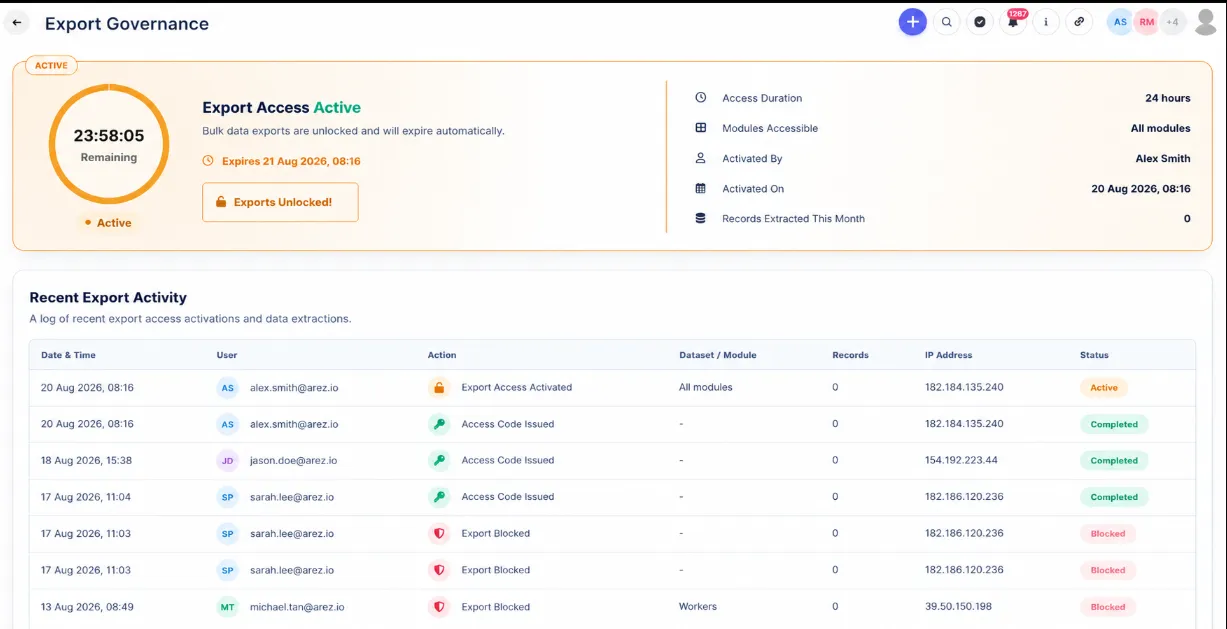
This keeps company data protected while allowing authorised users to export data easily when needed.