
 Facebook
  Twitter
  LinkedIn
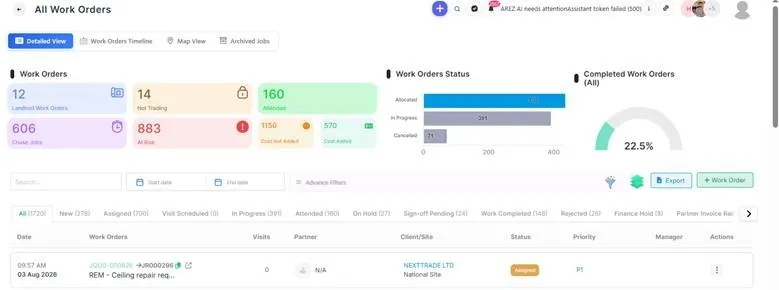
 Search for the job that you want to place on hold.
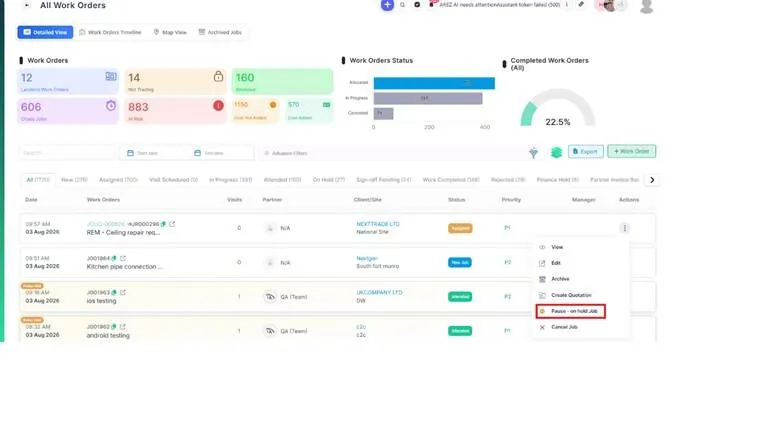
Click the Pause-On Hold button from the job actions.
 In the On Hold Reason window, select the appropriate reason from the dropdown list.
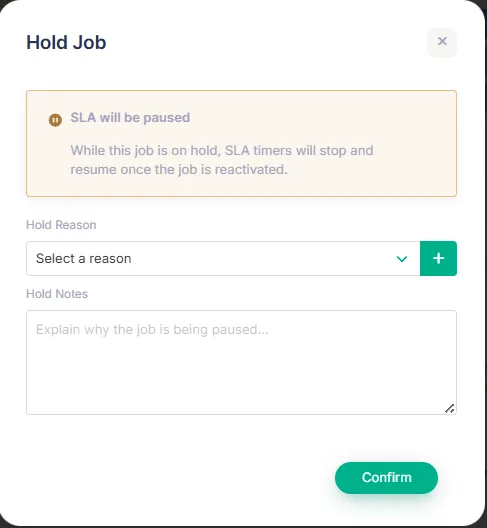
Review the selected reason to ensure it accurately reflects why the job is being paused.
Click Confirm to apply the change. The job status will be updated to On Hold. The selected reason will be recorded against the job and displayed as the reason for the on-hold status.

Once the issue preventing progress has been resolved, the job can be resumed and moved back into the appropriate workflow stage.