
 Facebook
  Twitter
  LinkedIn
 Preface
In facilities management and security operations, rates are not just numbers in a system—they directly affect worker pay, client billing, and ultimately your margins. A small mistake in how rates are set can quickly flow through into incorrect payroll, disputed invoices, or lost revenue.
Arez Operate has been designed to make this process both flexible and controlled. It allows you to define standard rates at the contract level while still enabling you to handle real-world exceptions—such as specialist workers, site-specific agreements, or negotiated pay—without compromising billing accuracy.
This guide explains how rates are structured in Arez, how they flow through the system, and how to use them correctly to ensure everything from rota creation to invoicing works seamlessly.
Overview
Arez separates rates into two distinct types:
Pay Rate (£/hr) → what you pay the worker
Charge Rate (£/hr) → what you bill the client
This separation is intentional and ensures:
Clear financial control
Accurate payroll
Consistent invoicing
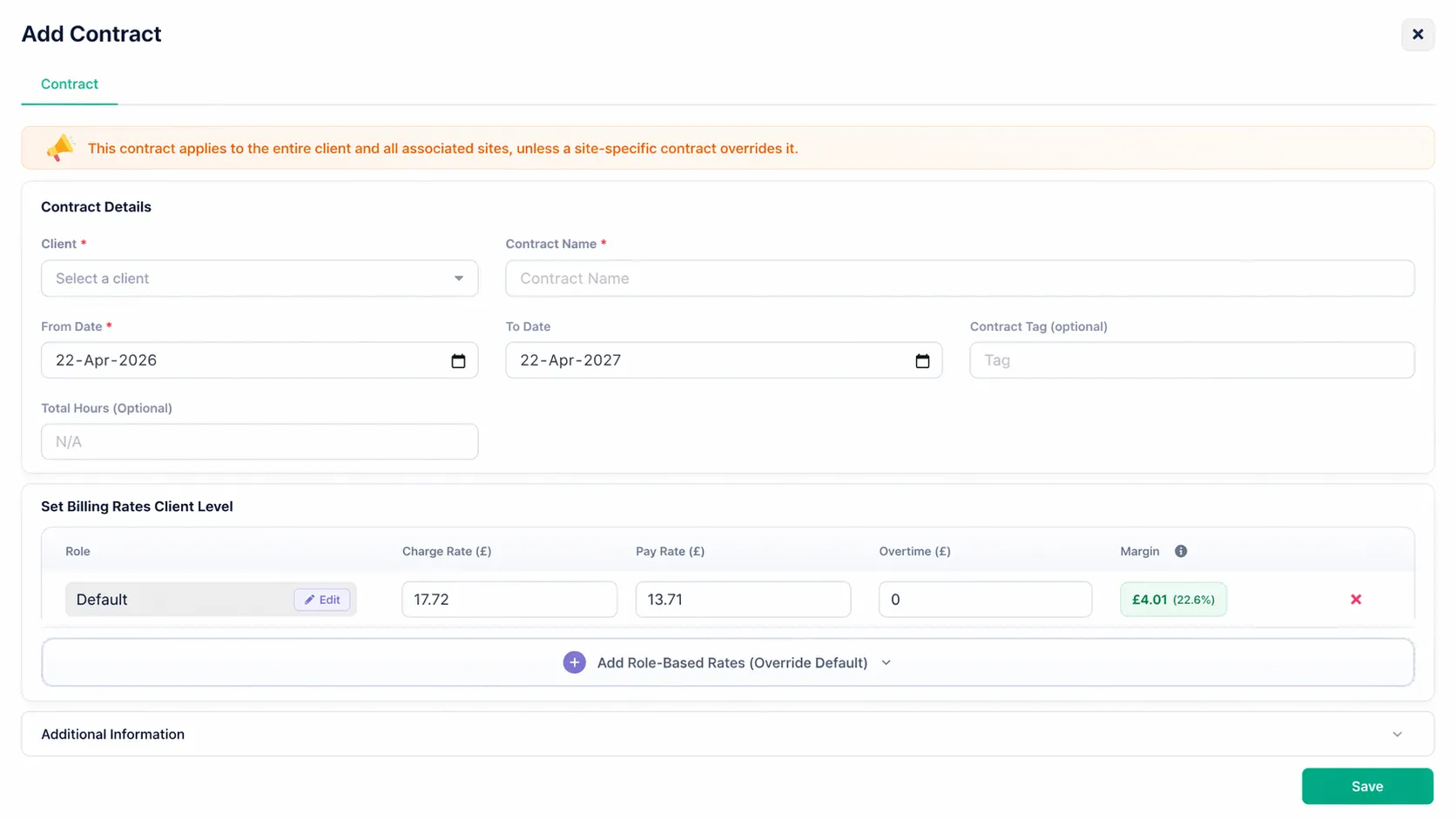
1. Contract Rates (The Foundation)
Contracts form the core of your rate structure.
They define:
Pay Rate (£/hr)
Charge Rate (£/hr)
Overtime Rates
Role-based rates (e.g. Security Officer, Supervisor)
Contracts can be applied at:
Client level → default across all sites
Site level → overrides for specific locations
These rates are typically aligned with market standards, such as the UK National Living Wage (e.g. £12.21/hr) for base roles.
2. Worker Pay Rates (Overrides)
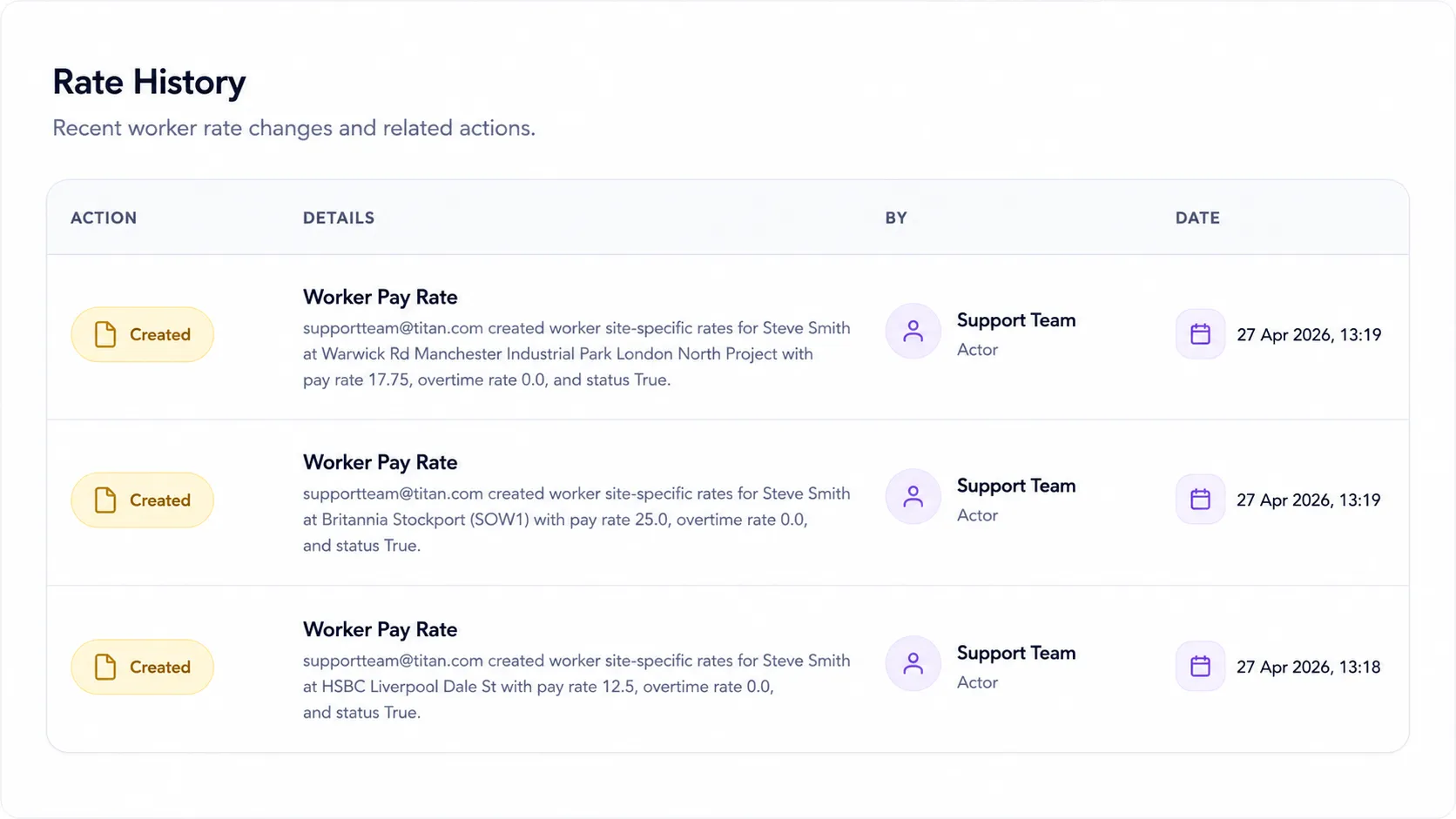
While contracts define standard rates, Arez allows you to set worker-specific pay rates.
These are configured in:
Worker Profile → Pay Rates (Worker Overrides)
Worker rates are used to handle exceptions such as:
Specialist staff
Experienced workers receive higher pay
Site-specific negotiated rates
Worker Pay Rate Types
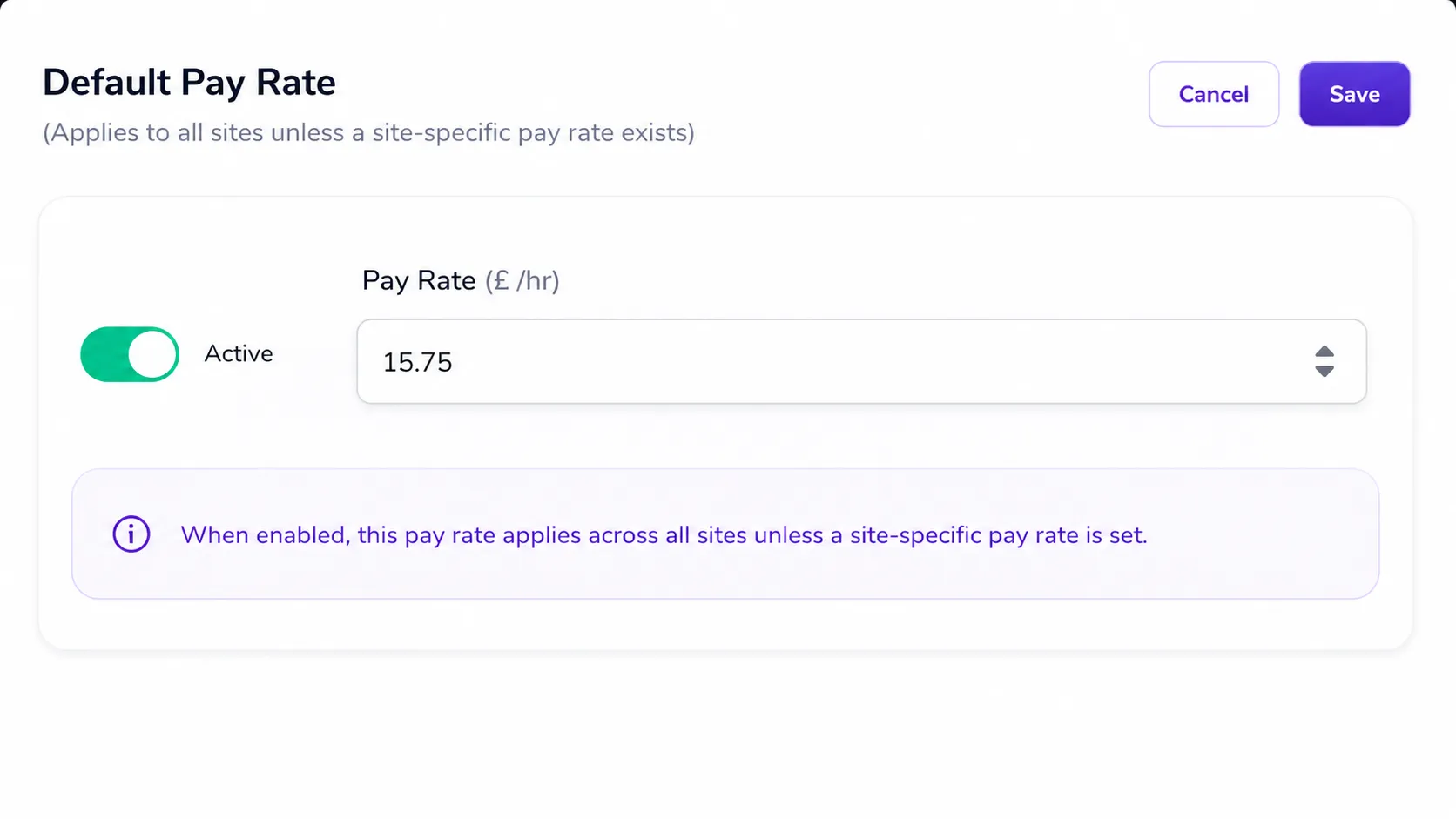
A. Default Worker Pay Rate
A standard rate applied across all sites.
Overrides contract pay rates
Used when no site-specific rate exists
Example:
Default Pay Rate = £12.21/hr
→ Worker is paid £12.21 across all sites unless overridden
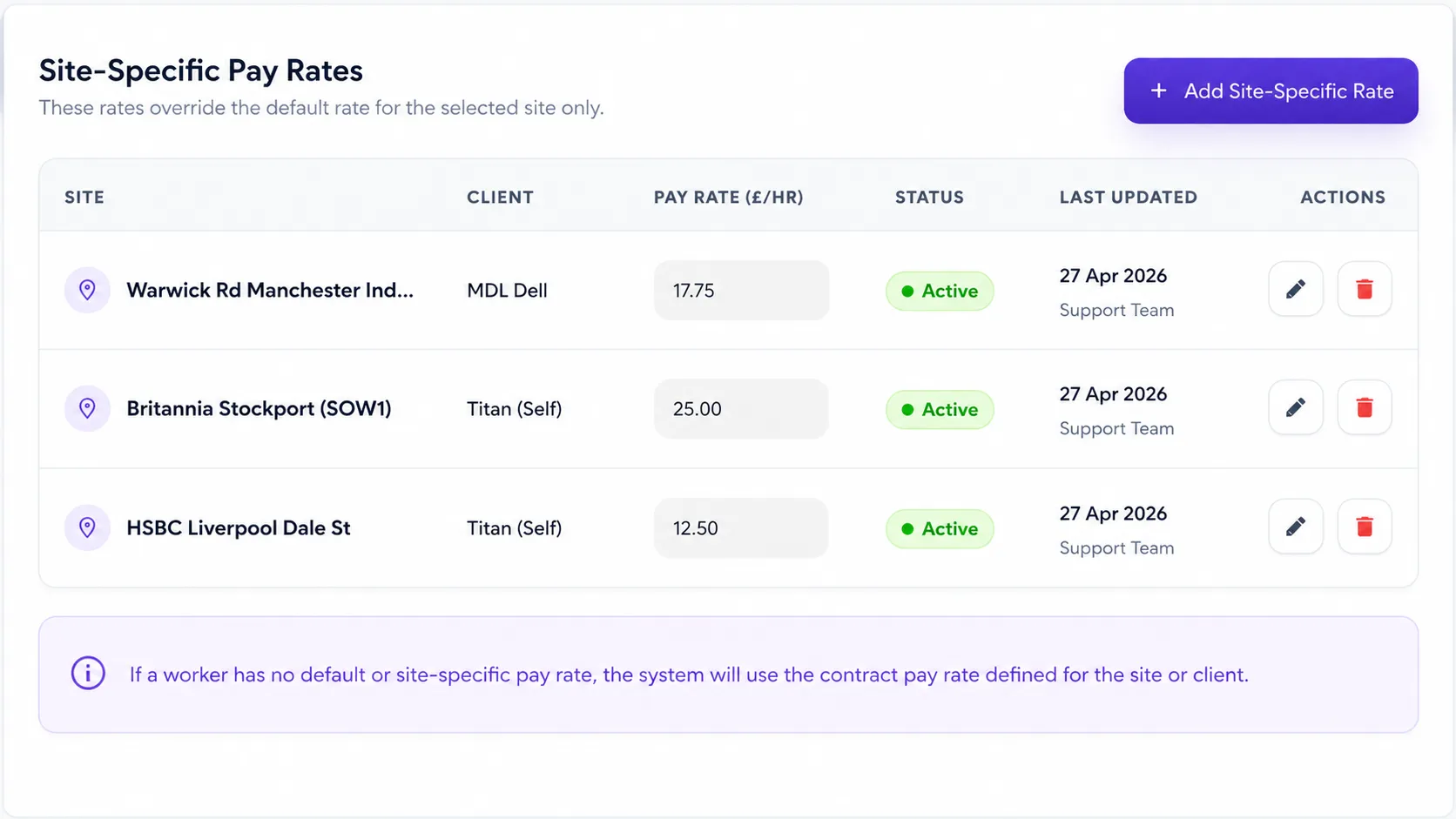
B. Site-Specific Worker Pay Rate
A custom rate for a particular site.
Applies only to that site
Overrides:
Worker default rate
Contract pay rates
Example:
Default = £12.21/hr
O2 Arena = £13.50/hr
→ Worker is paid:
£13.50 at O2 Arena
£12.21 elsewhere
3. Rate Priority (How the System Decides)
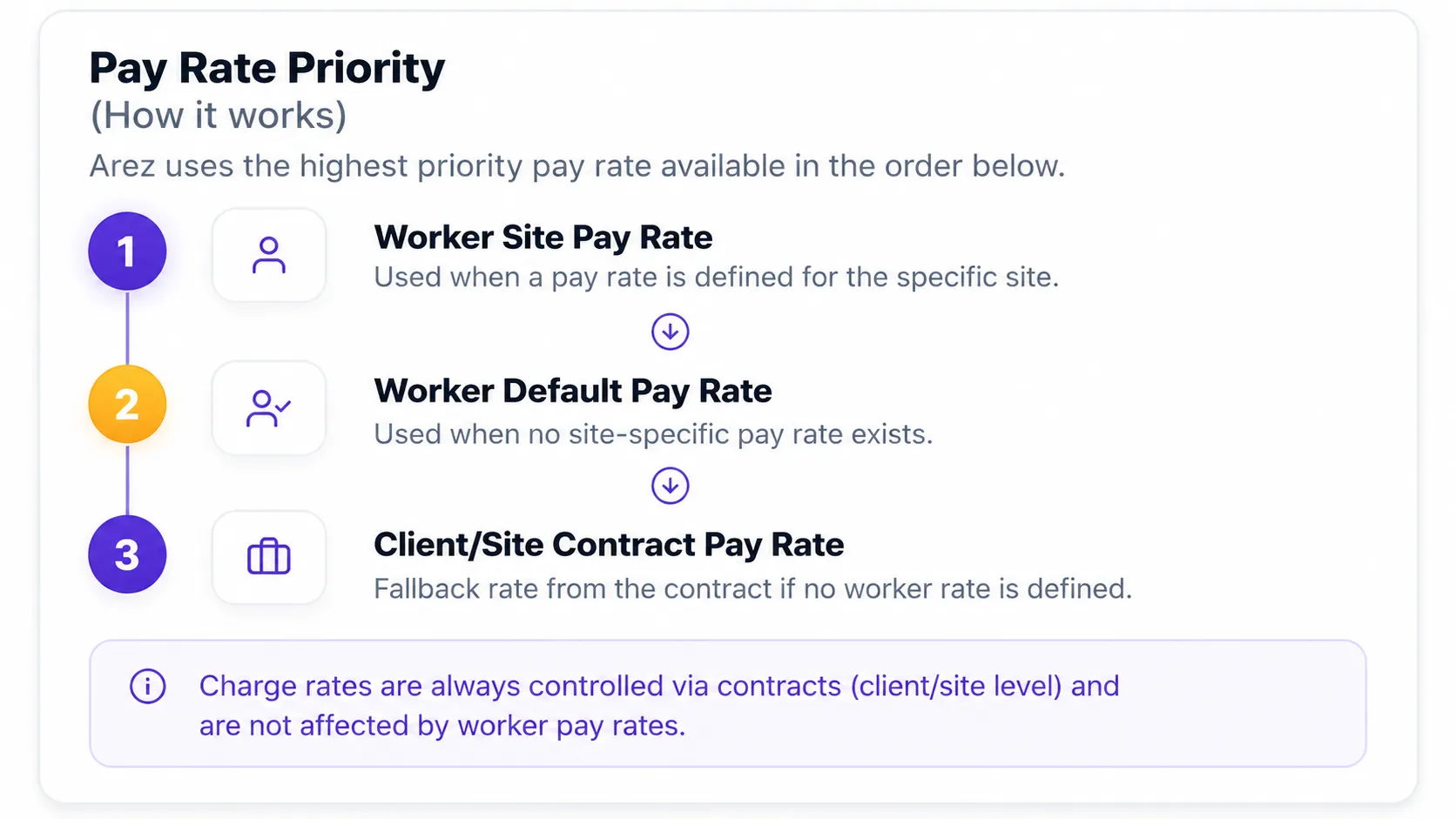
Arez automatically applies the correct rate using a clear hierarchy.
Charge Rate Rule
💡 Charge rates are always taken from contracts.
Worker settings do not affect billing rates.
4. How Rates Flow Through the System
In Arez Operate, rates are not static—they move through the system and directly drive financial outputs.
Rates → Rota → Payroll & Billing
Rates are configured
At the contract level (client or site)
Or overridden at the worker level
Rates are pulled into the rota
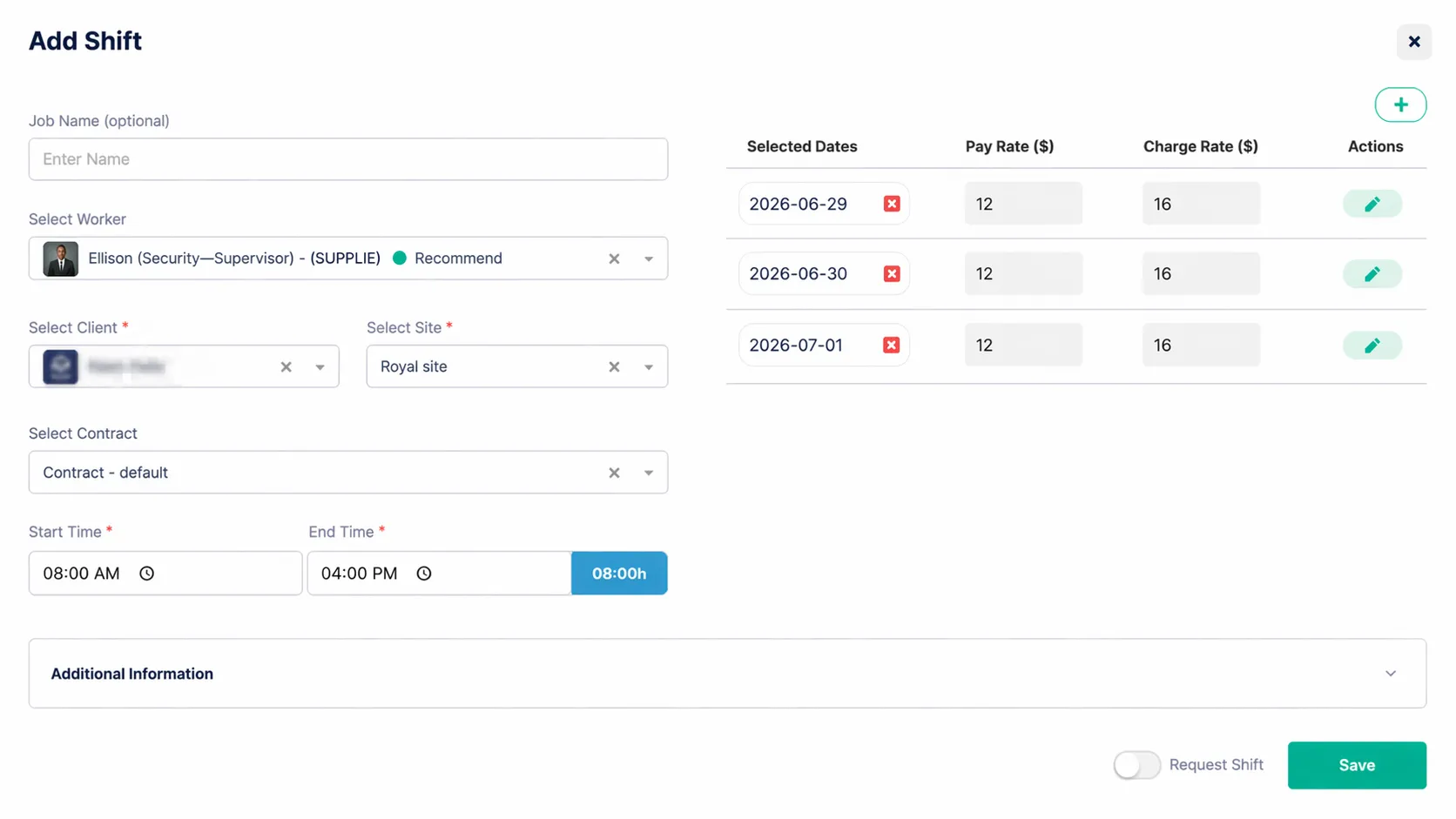
When a shift is created, Arez automatically:
Applies the correct pay rate (based on priority)
Applies the charge rate from the contract
Rota drives financial outputs
The same rates are then used for:
Payroll calculations (pay rates)
Client invoicing (charge rates)
Why this matters
Rates in Arez are not just reference values—they are used directly in live operations.
Any incorrect rate will flow through to:
Worker pay
Client invoices
Financial reporting
Key takeaway
Once a rate is applied to a shift in the rota, it becomes the source of truth for both payroll and billing.
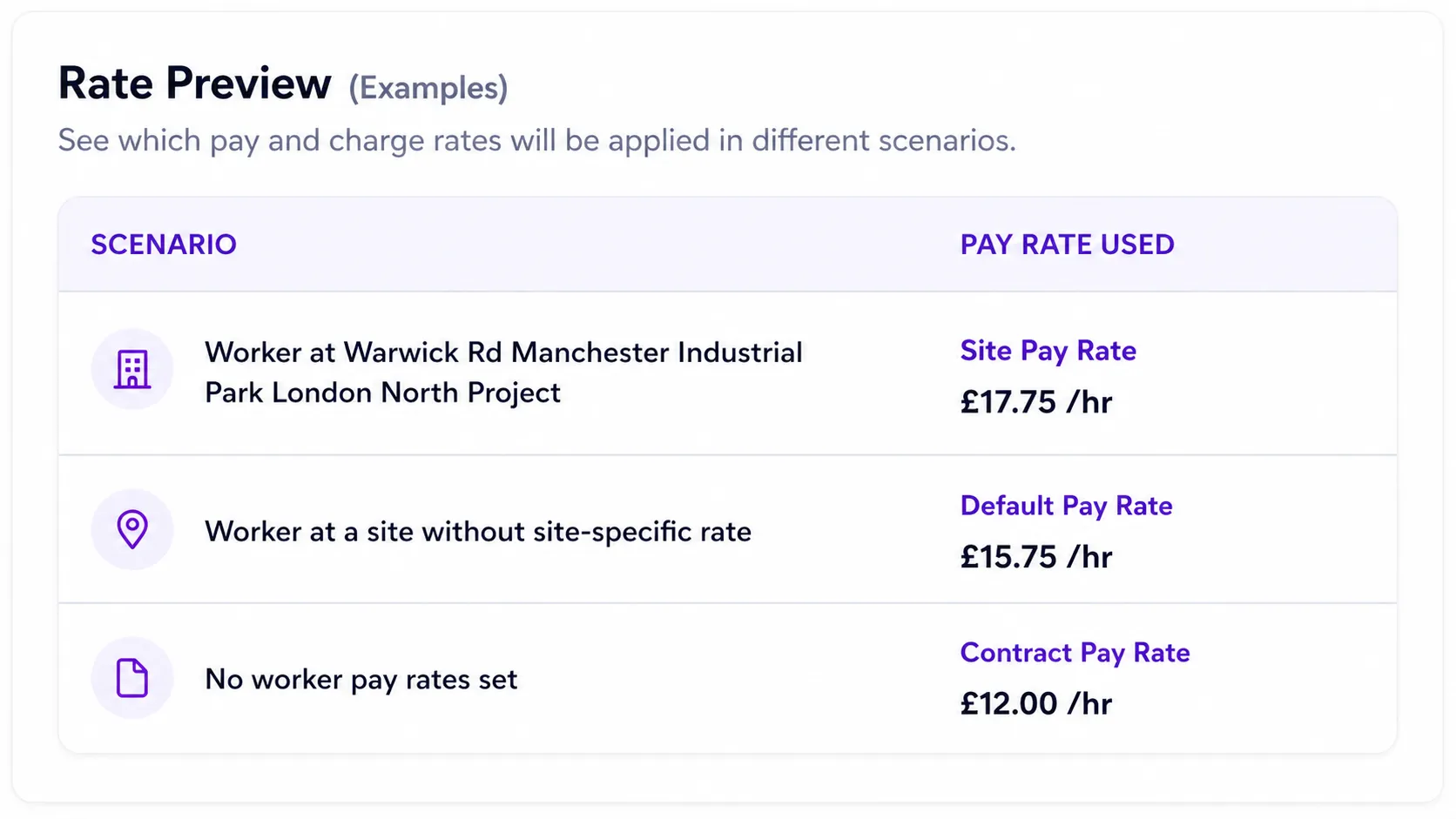
5. Example Scenarios
Scenario | Pay Rate Used | Charge Rate Used |
Worker at the site with a custom rate | £12.50 | £16.50 (Contract) |
Worker at new site | £12.21 (Default) | £16.50 (Contract) |
No worker rates set | £12.21 (Contract) | £16.50 (Contract) |
6. Important Warnings
⚠️ Worker pay rates override contract pay rates
Any worker-level rate takes precedence.
⚠️ Charge rates are controlled via contracts only
Worker settings do not affect billing.
⚠️ Rates are used in live calculations
All rates feed directly into:
Rotas
Payroll
Invoices
Incorrect rates may lead to:
Underpayment or overpayment
Invoice disputes
Margin loss
7. Best Practice
To keep your system accurate and scalable:
Use contracts for standard rates
Use worker overrides only for exceptions
Keep base pay aligned with the UK National Living Wage where applicable
Avoid duplicating rate logic across multiple levels
Review rates regularly
Summary
Contracts define standard pay and charge rates
Worker settings allow controlled pay overrides
Charge rates remain centralised for billing
Rates flow into the rota, and from there directly into payroll and invoicing
The system applies rates automatically using a clear priority hierarchy
Need Help?
If you are unsure how to structure your rates or need assistance, contact your Arez support team.